Get started with Timeaway

Setup is short: pick who can approve, name the teams, put people on them. Day-to-day requests happen in the app.
Who does what
- Jira site admin — installs Timeaway; creates the Jira lead group (e.g. Workpulse Team Leads); adds or removes members of that Jira group. Only site admins can create the group or change who is in it.
- Team lead (in the Jira lead group) — org-wide Timeaway settings (leave types, holidays, policies, allotments), creates Timeaway teams, approves leave, publishes availability
- Lead on a roster (assigned on a Timeaway team, not necessarily in the Jira lead group) — edits that team’s members, on-call schedule, and Slack webhook
- Everyone else — requests time off; Settings is mostly locked
- Install Timeaway — Jira → Apps → Marketplace → Timeaway. Start a trial if prompted.
- Open Settings — Apps → Timeaway → Settings. Site admins see every panel, including Team Leads group (the Jira group). Members of the lead group see Teams and org-wide leave settings — not the Jira group panel.
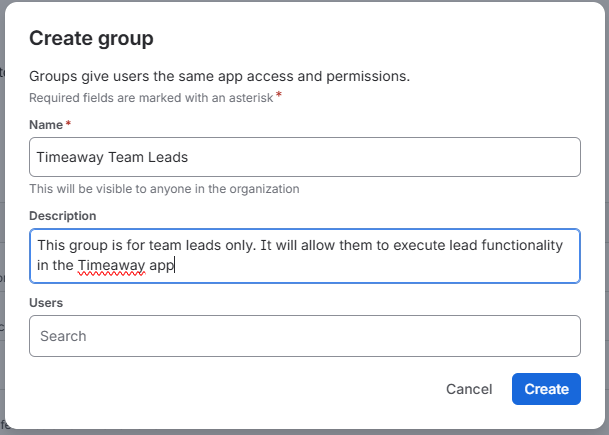
- No Workpulse Team Leads group yet? Site admin only. Go to User Management → Groups → Create group. Name it Timeaway Team Leads (or reuse Workpulse Team Leads if it already exists). Add a short description, then click Create.
- Team Leads group Site admin only. — In Timeaway Settings, enter the Jira group name → Save / ensure group → add the managers who should be in the lead group.
- Create a team — Leads in the Jira group (or a site admin) use Settings → Teams to name the team → pick a lead → add members → enable on-call if the team rotates coverage. Timeaway teams are stored in the app — they are not Jira groups.
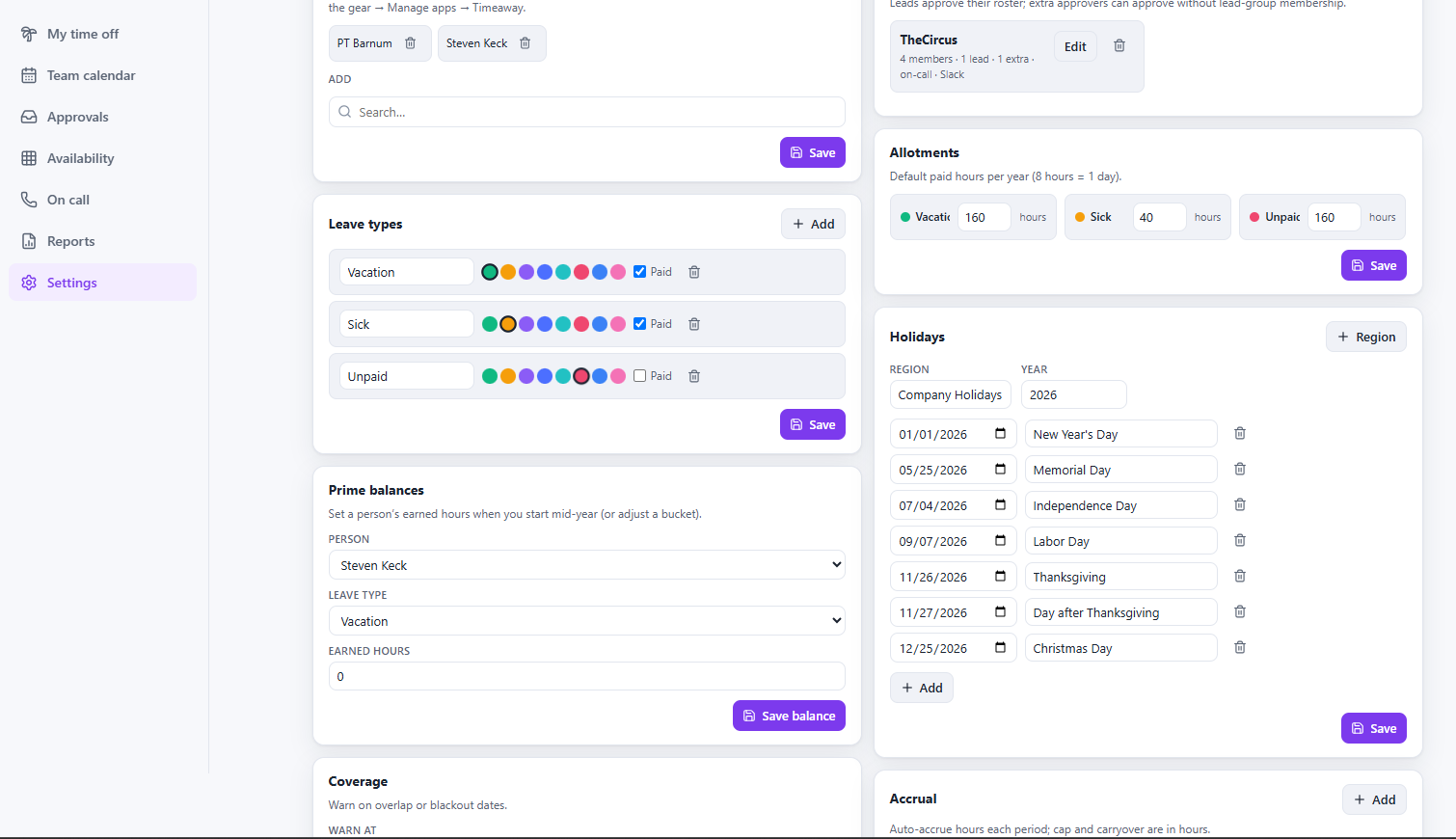
- Leave types & allotments — Leads in the Jira group (or a site admin) define PTO / sick / unpaid types and yearly hours per person or policy.
- First request — My time off → Request time off → a lead approves in Approvals.
Day-one checklist
- Holiday calendar for your default region
- Delegated approvers when leads are away
- Slack webhook (optional) for request notifications
- Publish availability feed if Capacita is on the site