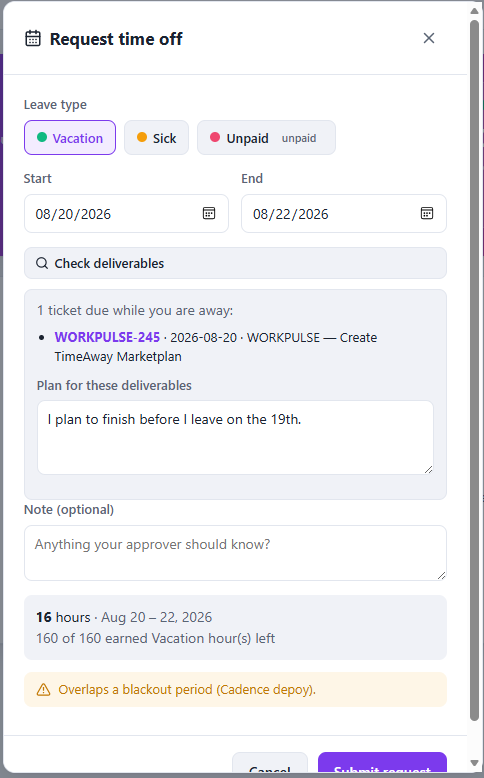
Request PTO with a plan in Jira
The problem
People file PTO in email. Leads approve blind. Tickets due that week still have the requester as assignee.
How Timeaway helps: one request captures dates, hours, balance impact, and — when needed — which Jira issues are due and how they will be covered.
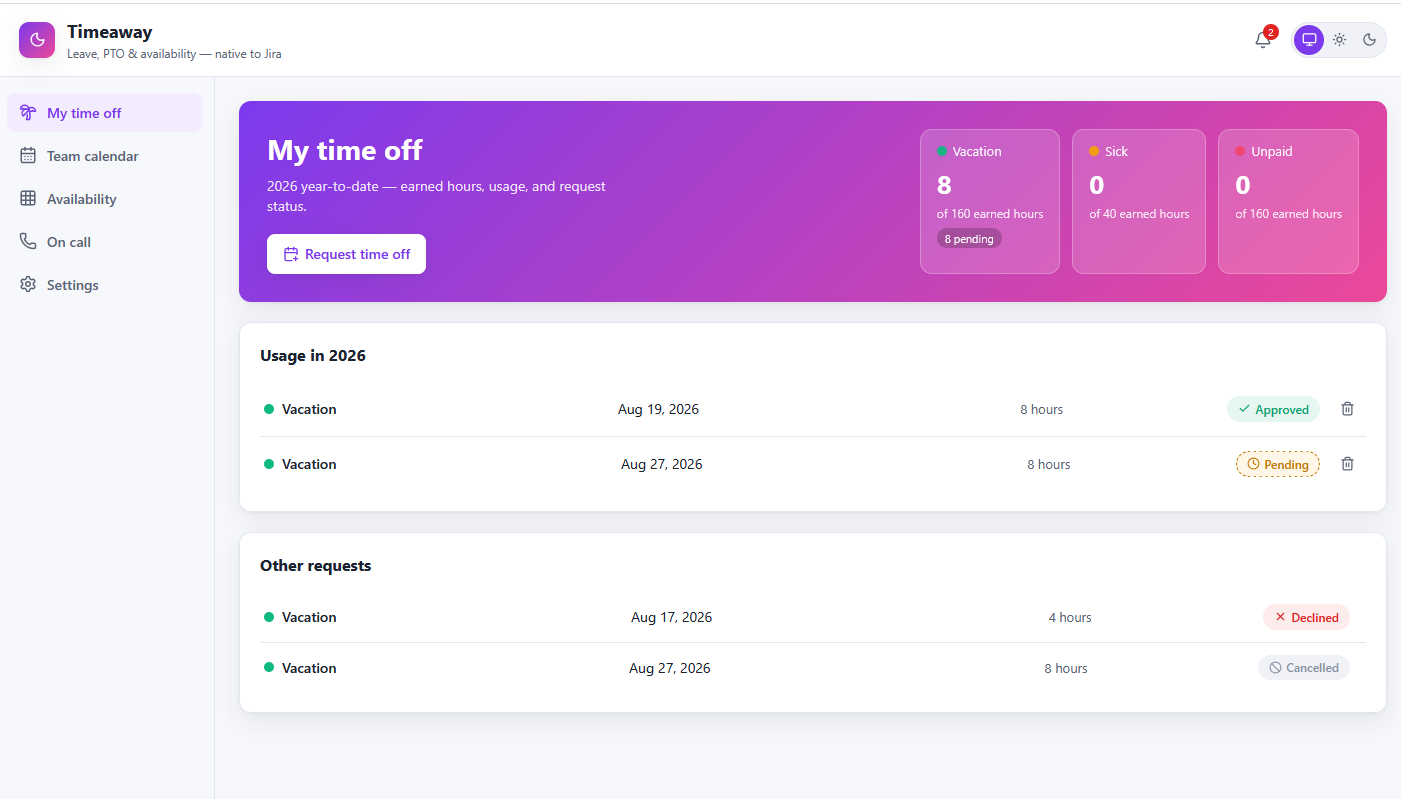
Steps
- My time off → Request time off
- Pick leave type, dates, partial day if needed
- Check deliverables — see Jira issues due during your leave
- Describe the handoff plan when tickets are due
- Submit — your lead decides in Approvals