

Installation
Cadence installs from the Atlassian Marketplace onto your Jira Cloud site. Confluence is used when you create meeting notes or embed a calendar.
- Install Cadence — In Jira, go to Apps → find Cadence on the Marketplace (or use Manage apps), and install. Start a trial if prompted.
- Open the app — From Jira navigation, open Apps and select Cadence. You land on the calendar (or the last tab you used).
- Optional: Cadence admin — Set up the Team Leads group and Cadence teams (steps below) so the Team tab has leads and rosters.
- Optional: Confluence — If your site also has Confluence, set a meeting-notes space under Cadence Settings → Meeting notes so events can create pages.
Create the Team Leads group (admin)
Same two-gate model as WorkPulse: managers must be in the Team Leads Jira group, then assigned as lead on a Cadence team. Atlassian Teams do not designate leads.
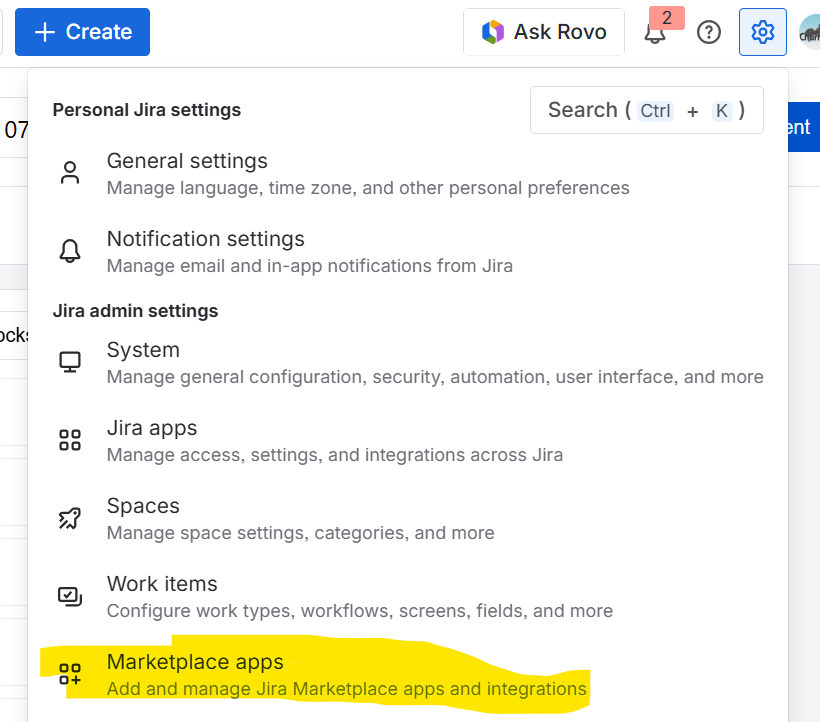
- Open Marketplace apps settings — Click the gear (Settings) in the Jira header, then under Jira admin settings choose Marketplace apps.
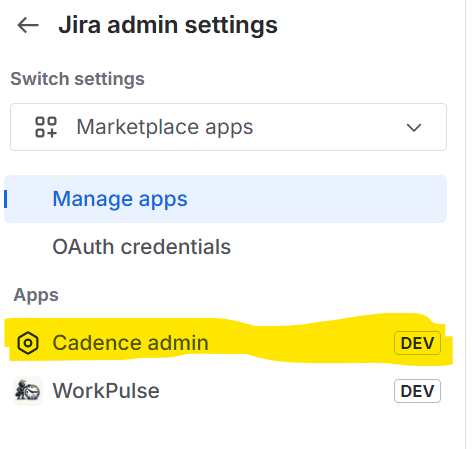
- Open Cadence admin — In the left sidebar under Apps, select Cadence admin.
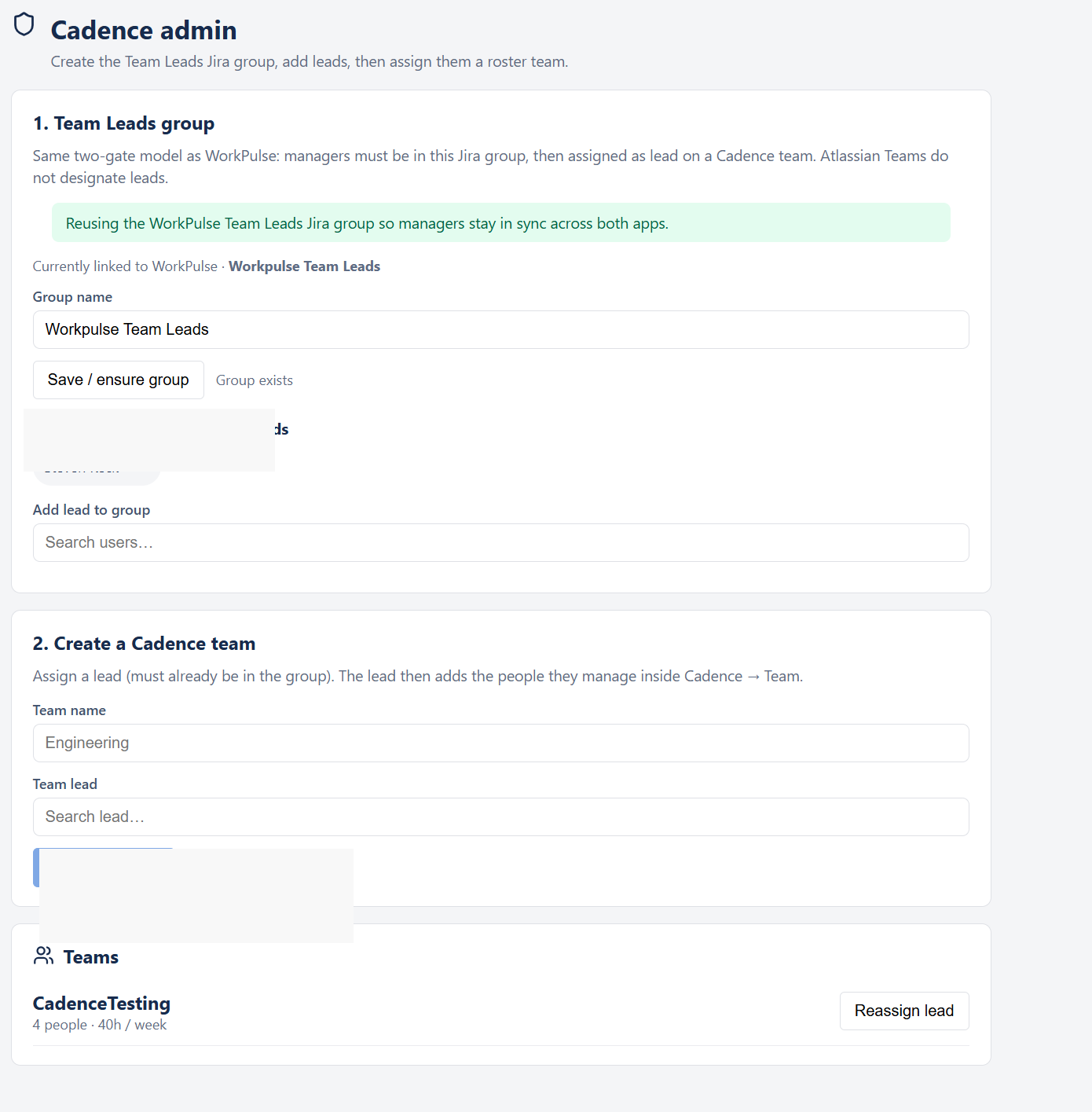
- Ensure the Team Leads group — On the Cadence admin page, set or confirm the Group name (for example Cadence Team Leads, or reuse Workpulse Team Leads if WorkPulse is installed). Click Save / ensure group until the page shows that the group exists.
- Add leads to the group — Use Add lead to group to search users and add managers who should lead Cadence teams.
- Create a Cadence team — Under Create a Cadence team, enter a team name, pick a Team lead who is already in the group, then click + Create team. The lead adds their roster later inside Cadence → Team.
Where Cadence appears
- Global page — Apps → Cadence (primary workspace)
- Project page — Cadence in a Jira project
- Issue panel — Cadence context on an issue
- Dashboard gadget — Cadence Calendar at a glance
- Confluence — global Cadence page and Cadence — Calendar embed macro (read-only)
- Cadence admin — Settings → Marketplace apps → Cadence admin