

One or Both Way Sync
Setting up your Jira Sync
Access the config page. Use either the plugin config in Manage aps or Go to Administration -> Applications -> Classifier Bridge for Jira. Select Data Classification. Under the INTEGRATIONS heading, click on Jira Sync.
It is on this page where you can:
- Copy the url needed for the applications sending synced JSON packets into your instance.
- Create the Do Not Sync custom field for new tickets to opt out of being synced.
- Create the connections to manage which systems this Jira will sync with either one way or two way.
- Test push: Test that you configured the connection correctly.
Don't forget to snip an image of the feature.
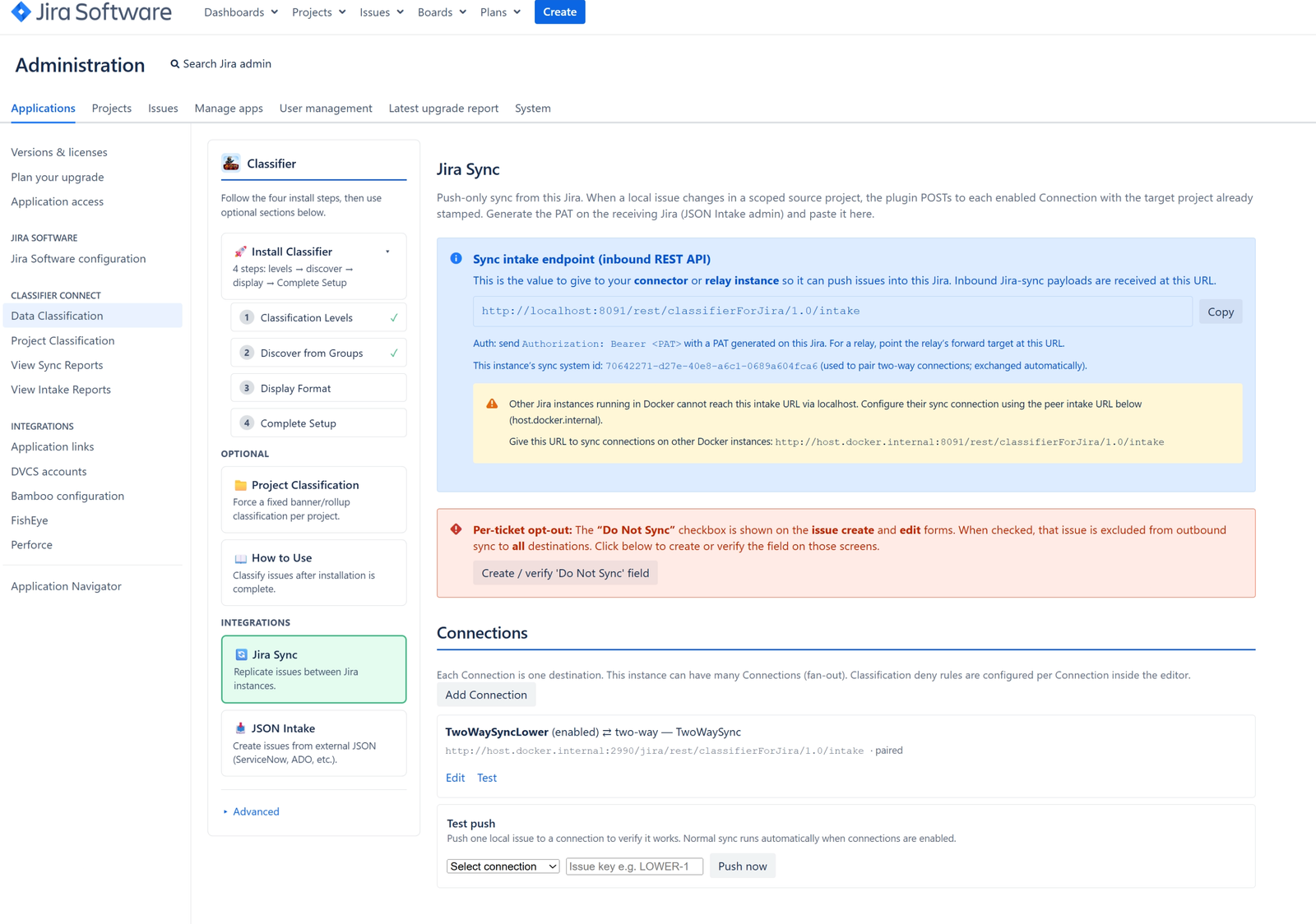
This tells you its status, and what type of connection it is.Incoming SYNC
Copy and paste this url into either the other Jira on the same domain that is sending sync packets to this instance, or
copy in the rely application.
Connection Configuration
The Configuration Form explained.