

Step 1: Classification Levels
What you will learn
Below is an image of the Classification levels page. But let's talk a little about what is on the page.- If you prefix your groups like prefix:top secret//si//rel to usa, enter it here. It makes the examination of the groups easier.
- Discover, Is how you kick off the, well, discovery of your groups.
- Review the entries after the discovery and add or fix anything you want to.
- You can import the classification from a Json file.
- You can also export your classification settings if you have multiple Jira instances to configure.
- Once you have either let us discover your classifications, or you manually entered them, or imported them from a JSON file, click Save Configuration.
- You can always view the configuration in the right sided panel, or you can click the View configuration button.
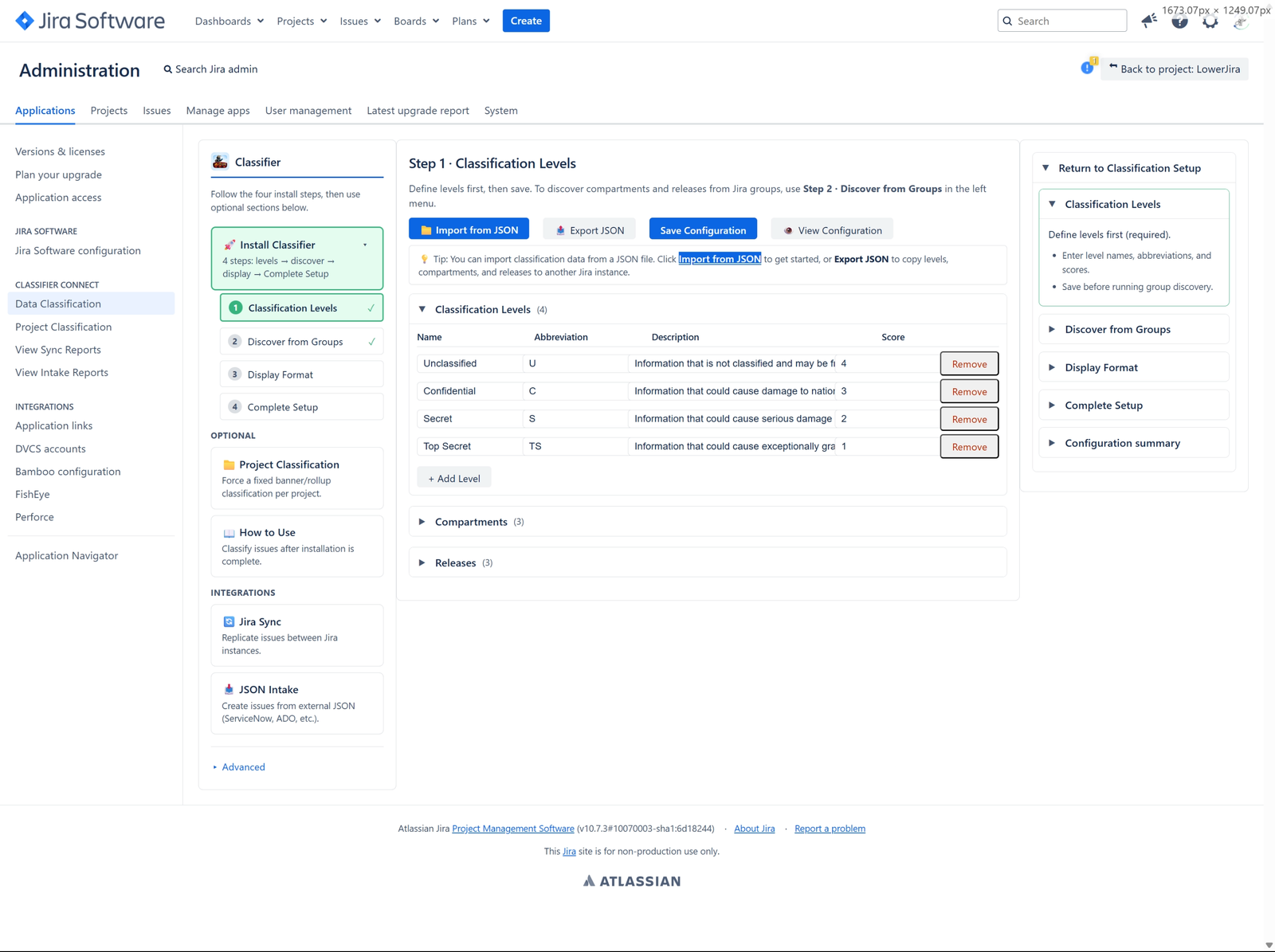
We need to know what your levels are so we can discover the classification used in the groups. After you filled these out, then go ahead and click the DISCOVER button up above.