

Goal
Understand how to embed a conversation into a Jira ticket.
Steps
Obviously we need to open up or create a new Jira ticket.
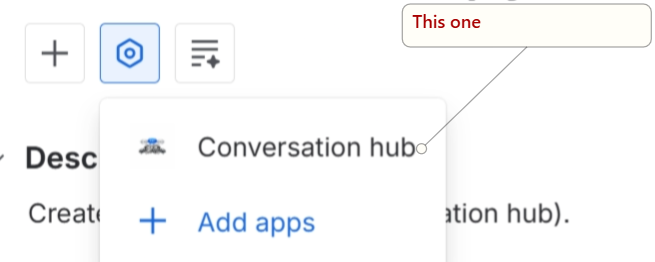
Locate the View app actions button, and click it.

Find the Conversation hub listing and click it.
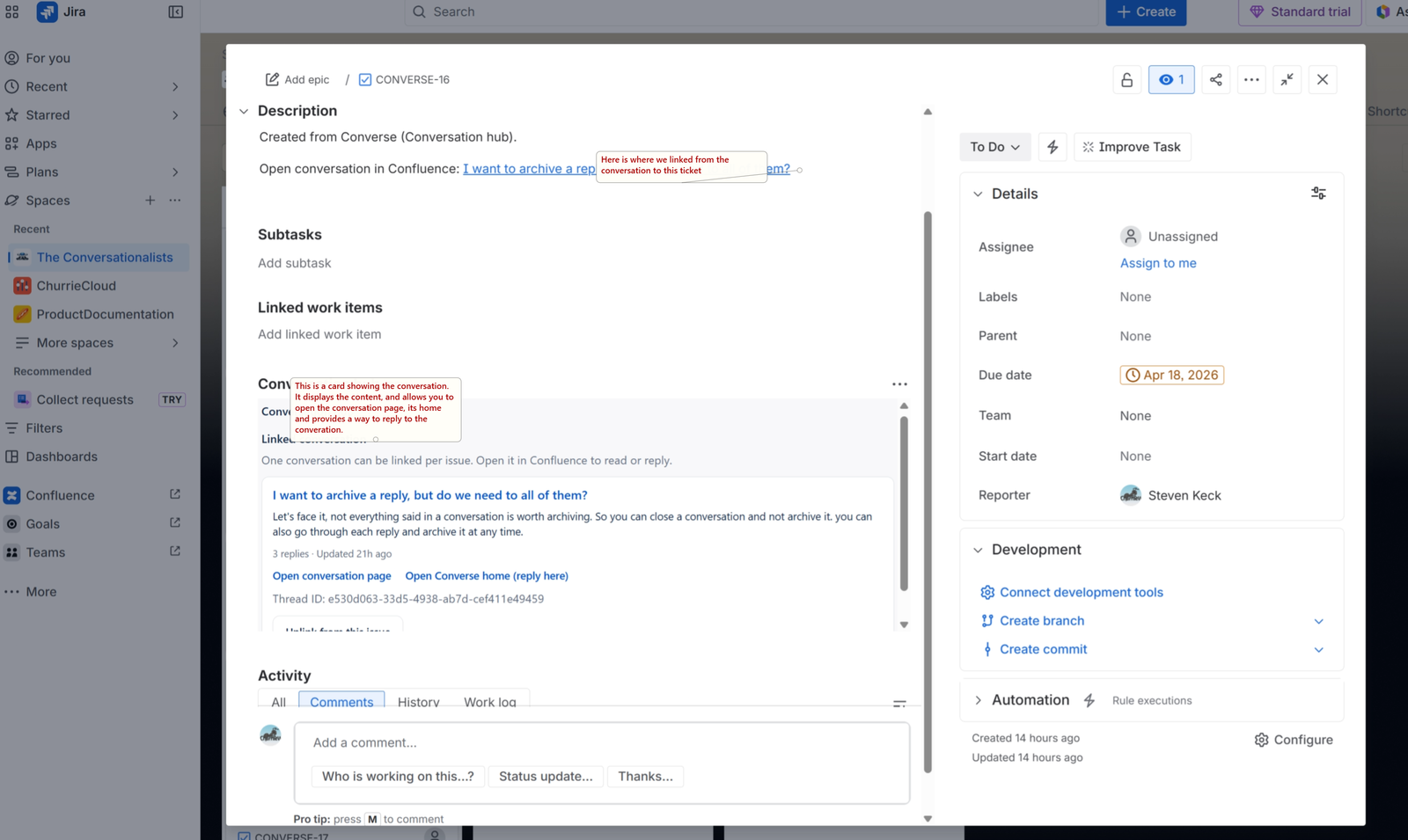
This will open up a new card or panel area in the ticket called Conversation hub. If you have already linked to the ticket from confluence, it will look like this:
Here is how it looks if there wasn't one linked already:
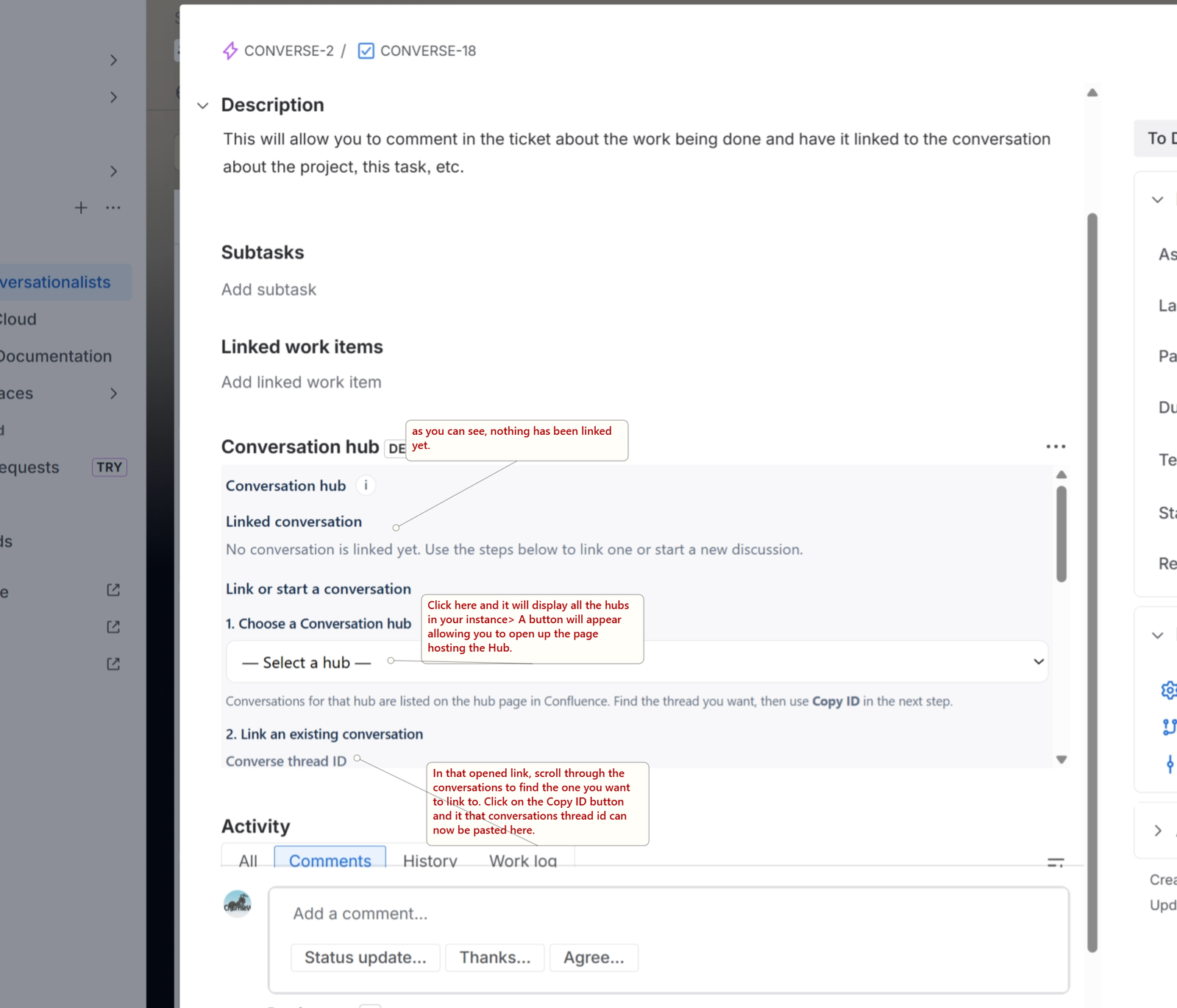
With the threadID pasted in, click link.
scroll down further and you can create a new conversation and have that inserted into the ticket.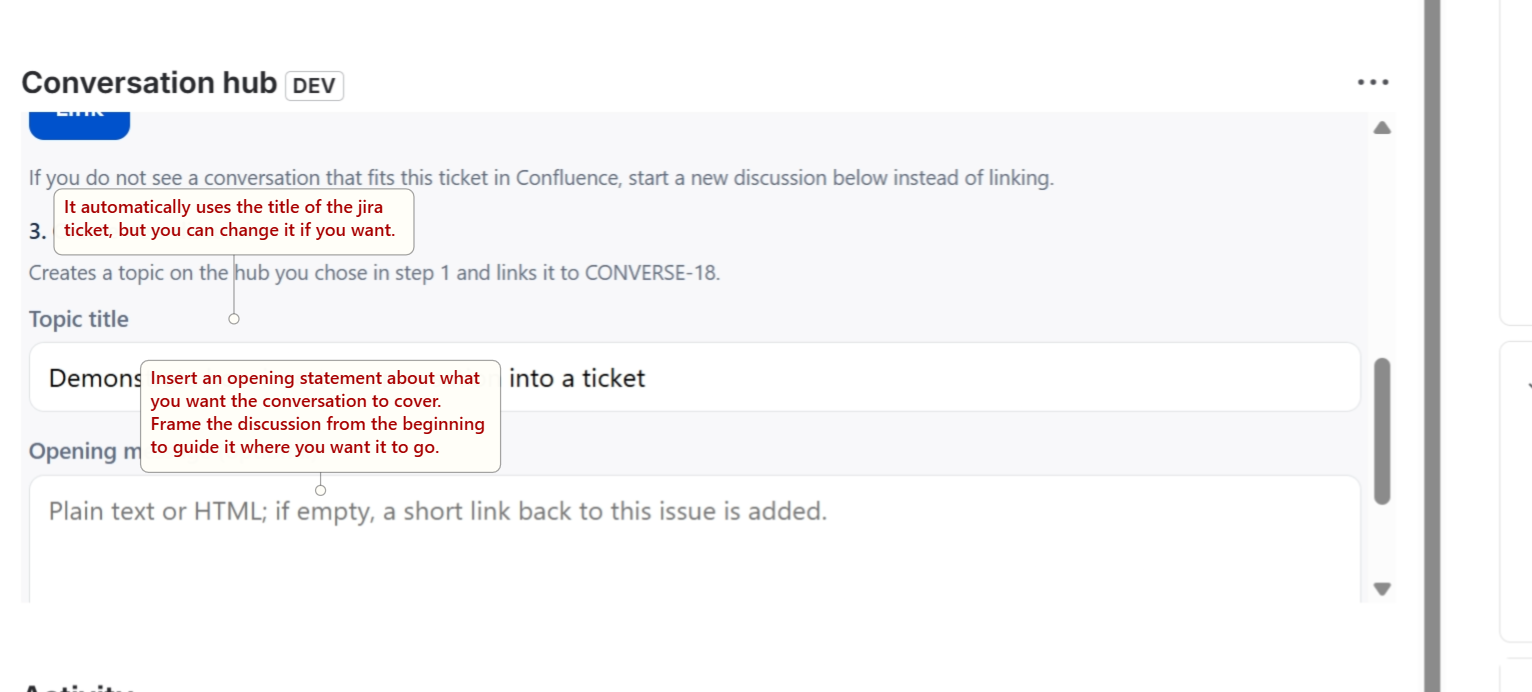
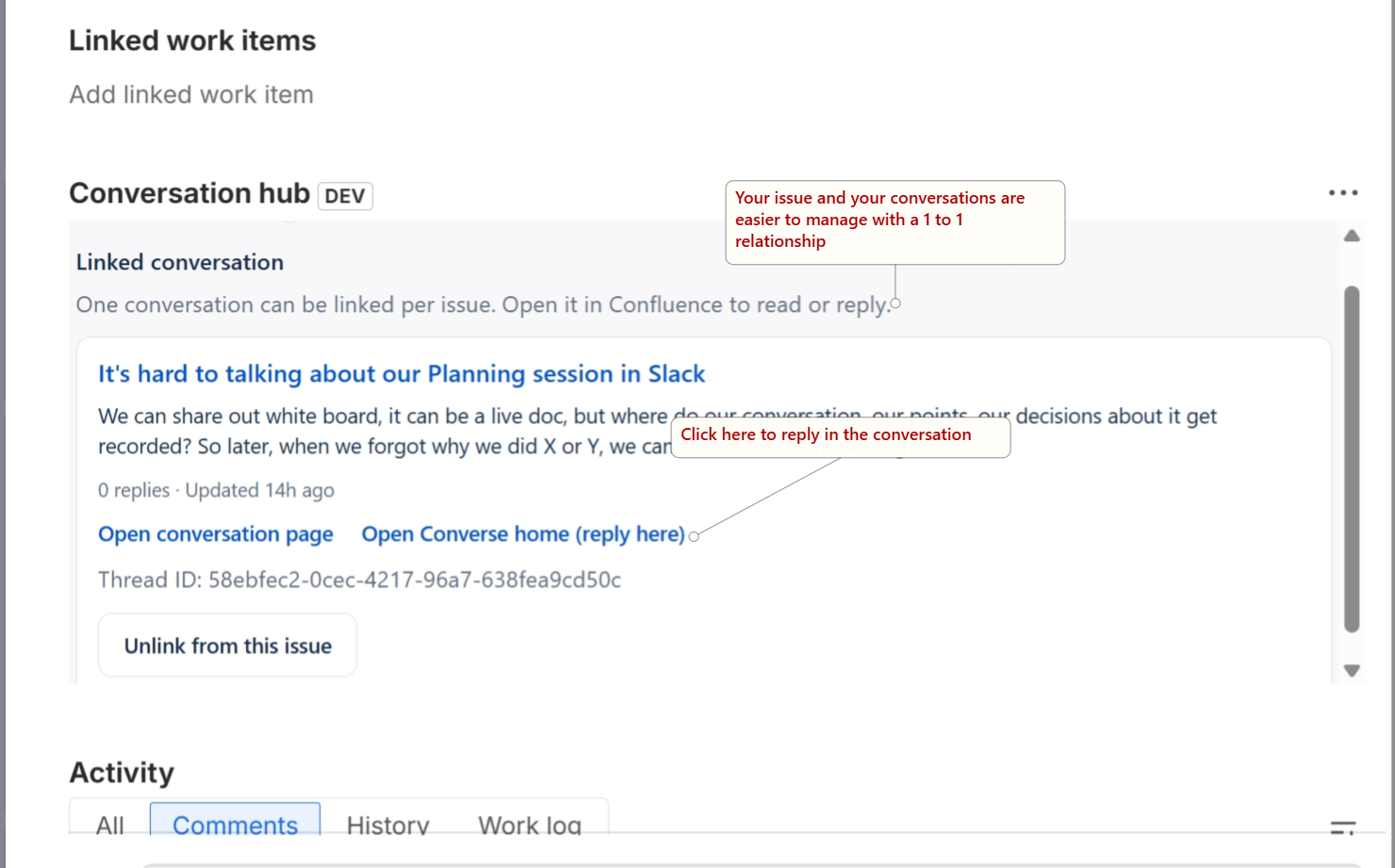
Whether you linked an existing conversation of created a new one, when done, it looks like this:
Wrap-up
This tighter coupling allows you from within either the conversation in Confluence or from the ticket in Jira to immediately capture ideas. By posting the pertinent information about the ticket to the conversation, it can now be archive with the project's documentation and be of aid in the future.