
Goal
Understand not only how to use signals but when to use which one.
Steps
Open up the Conversation Hub and then the conversation you want to signal out of.
Click the Signals button
That will open up a list of existing signals or if none exist, provide an + for you to click and add one. Click the +
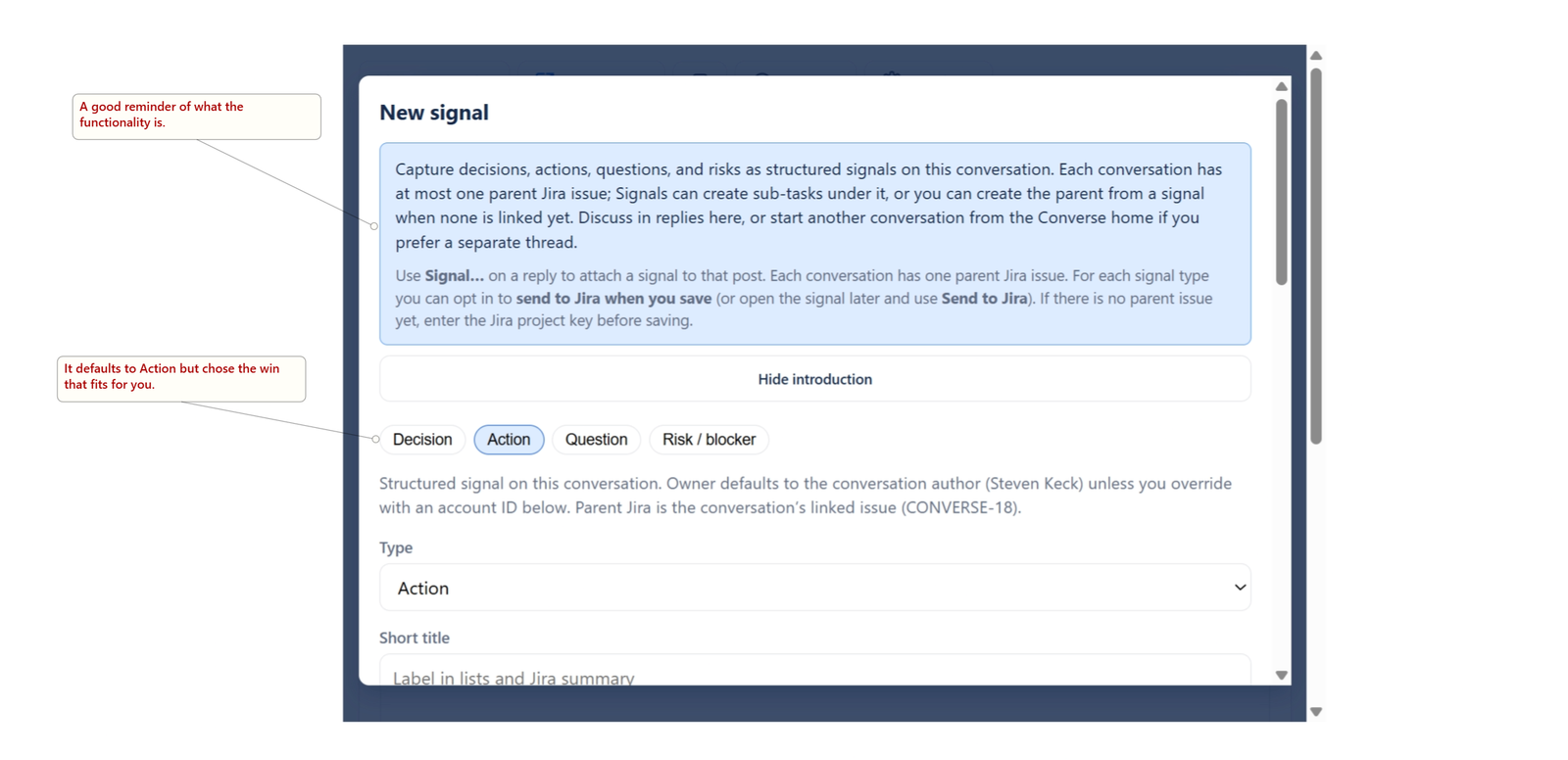
Here are the fields common to all signal types:
1
Choose type — Use the chips or Type dropdown: Decision, Action, Question, or Risk / blocker.
2
Short title — Required. Short label for lists and (if you use Jira) the issue summary.
3
Context (optional) — Background, links, extra framing. (This is optional, but highly recommended if the context is not obvious in the conversation.
4
Start date (This is the date work should begin on the ticket),
Due (Date for when work is to be completed by),
Owner (Atlassian account ID) (leave blank to use the conversation author),
Parent issue override (optional) (only if you need a different parent key than the one linked to the conversation).
See the pages dedicated to each type for the specific fields for them.