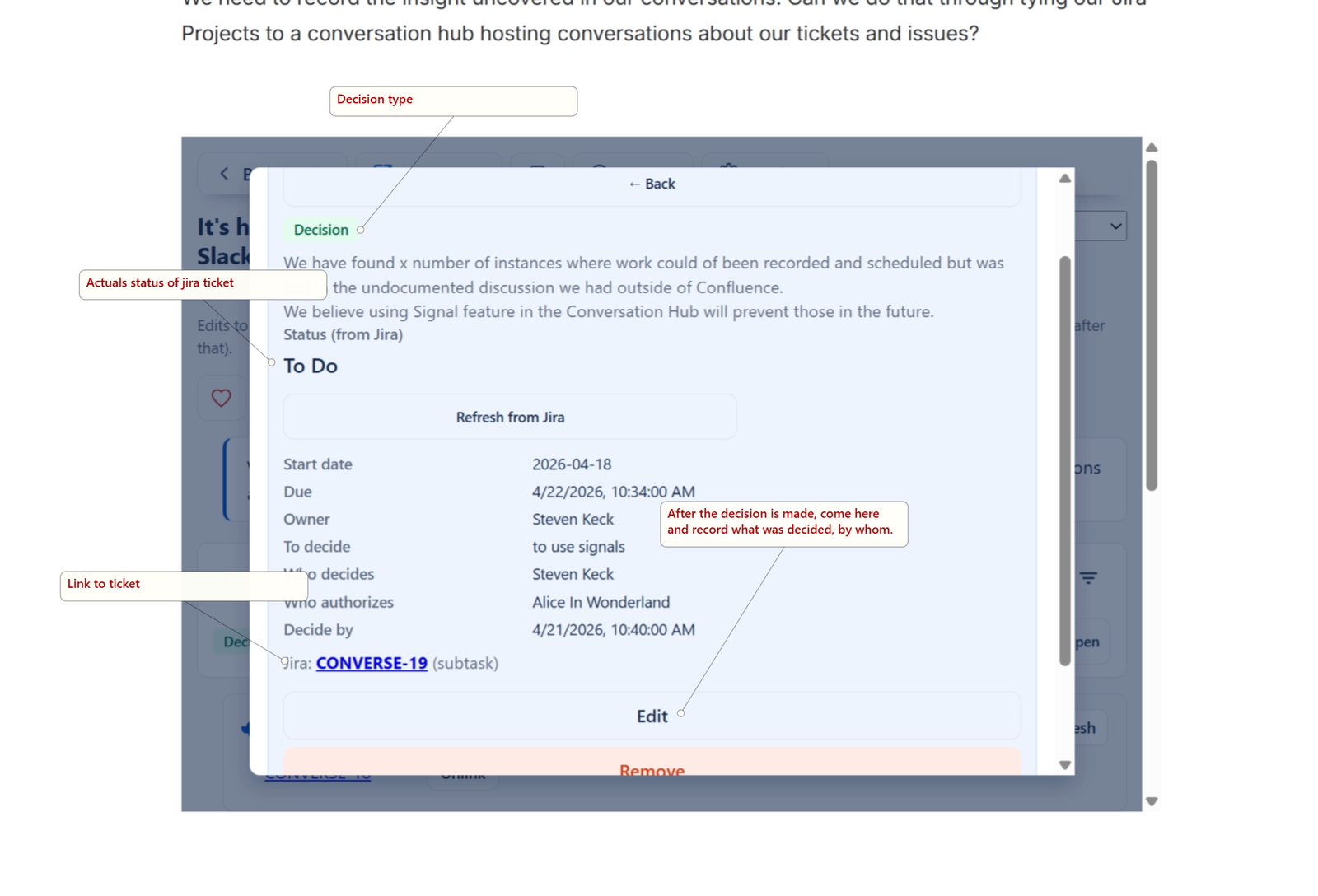

Goal
How to create the signal, leverage its link to Conversation Hub and to Jira
Before you begin
have an existing conversation created
Click Signals and select Decision
Steps
Here are the form fields
1
What is to be decided
Required by the app (must not be empty).
2
What was decided (if known)
Optional if not decided yet.
3
Who decides
Type to search people or enter a name.
4
Who authorizes
Same pattern.
5
Decide by / Decided date
Date/time fields for deadlines or record of when it was decided.
6
Notes
Free text.
7
Send to Jira when I save
Optional (Jira enabled). Sub-task under the linked parent, or creates and links a parent if none is linked yet.
After clicking save, this appears:
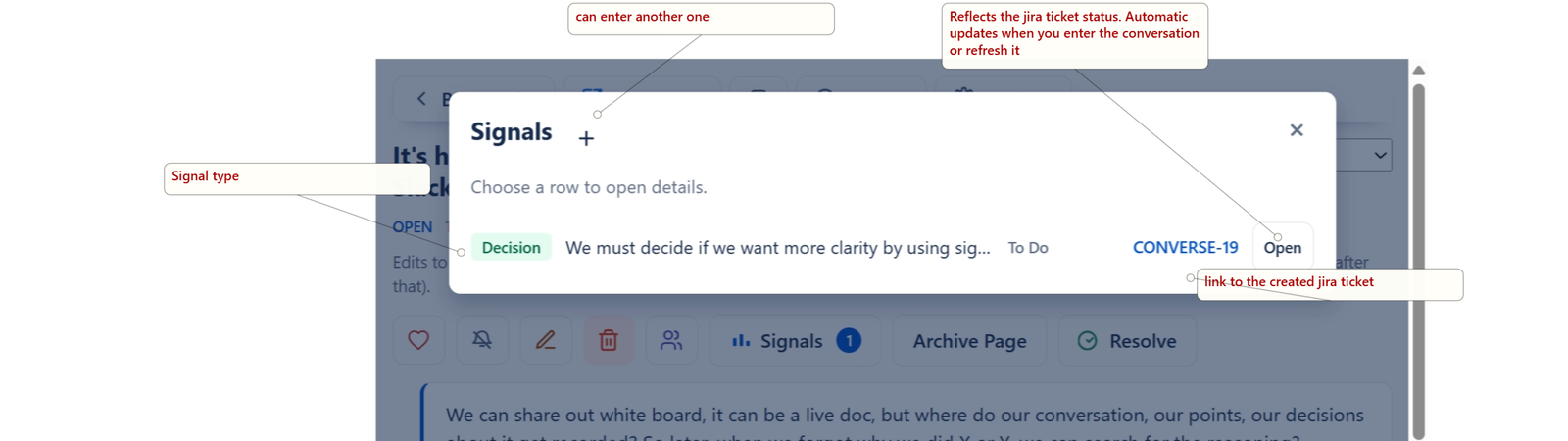
Your conversation can have multiple replies and multiple signals can be created from them. The Signals button display the number of signals in the conversation. Clicking on it will bring them all up for review. So if you have 200 replies but 10 signals spread out amongst them, you don't need to scroll to find them, just click the signal button.
So you want to examine the signal for progress? after it was created? click on it and it opens,