

4. Assign LL Managers
Feature summary
An LL Manager creates clients, links Jira projects, sets bill rates, and works invoices for the clients they are allowed to open. A manager does not, by default, edit wages.
When to use it
Use this as step 4, before clients are added. The person who will own the first client should already be a manager.
How to use it
Open Settings, then First time setup or Permissions
On Assign Managers, choose Assign a manager. If after setup, you access this via settings -> Permissions -> Roles per personnel
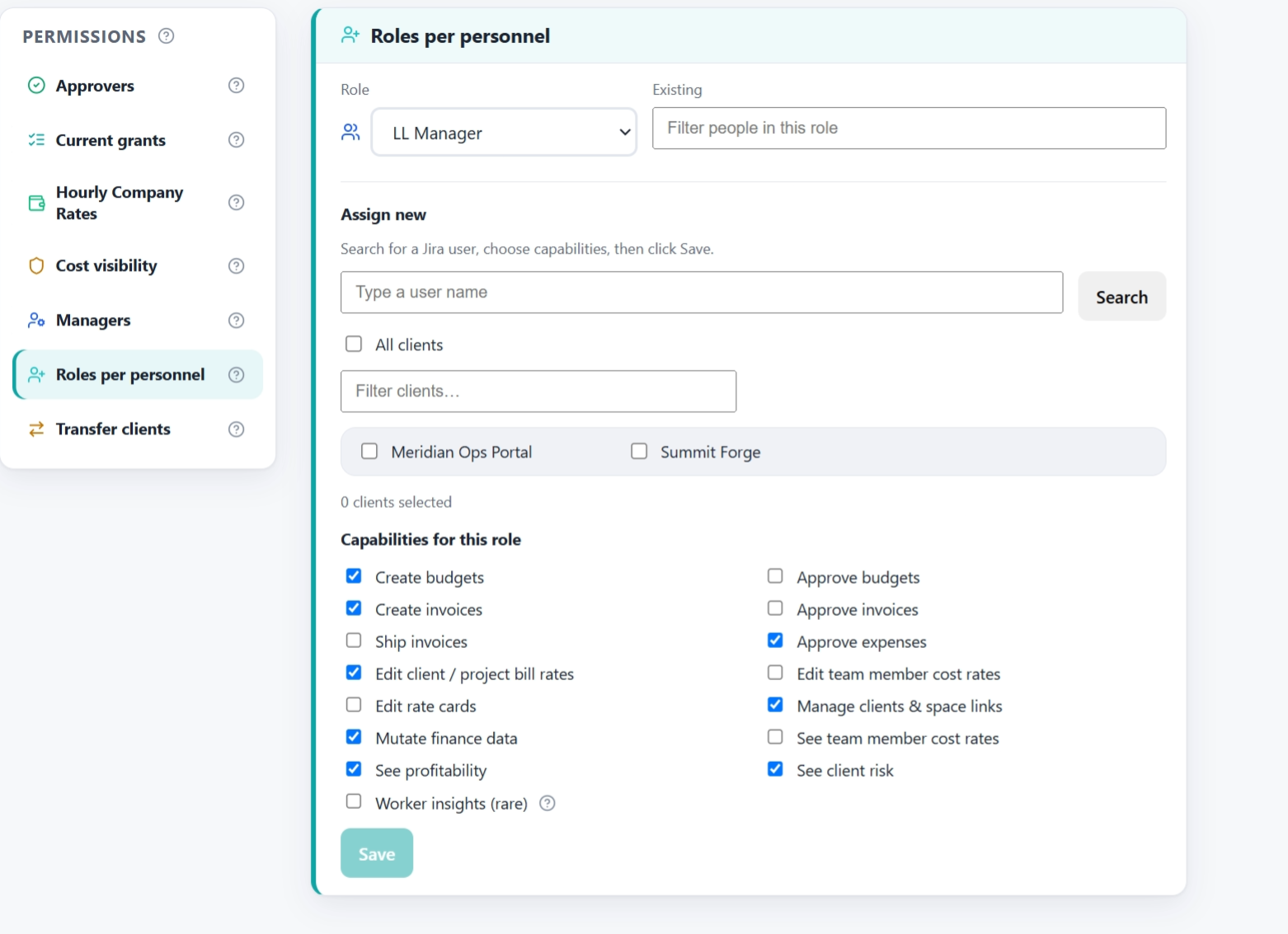
Role is where you select the responsiblities for a given user.
You can assign them to clients, if you have already built them
Capabilities for this Role *Important to note. You can give different LL Managers, different grants. You do that here in Roles per Personnel. Permissions -> managers is where you set them for all the managers.
Search for the person.
Choose LL Manager.
Click Assign, then Save.
Ask that person to reload LedgerLine.
A checked capability on the manager policy applies to every LL Manager, including people already in the role. They need to reload before a new button appears.
Give Create invoices to managers who should build drafts and credit notes. Give Ship invoices to the people who may mark an invoice paid. Those are separate.