

Read the dashboard
Feature summary
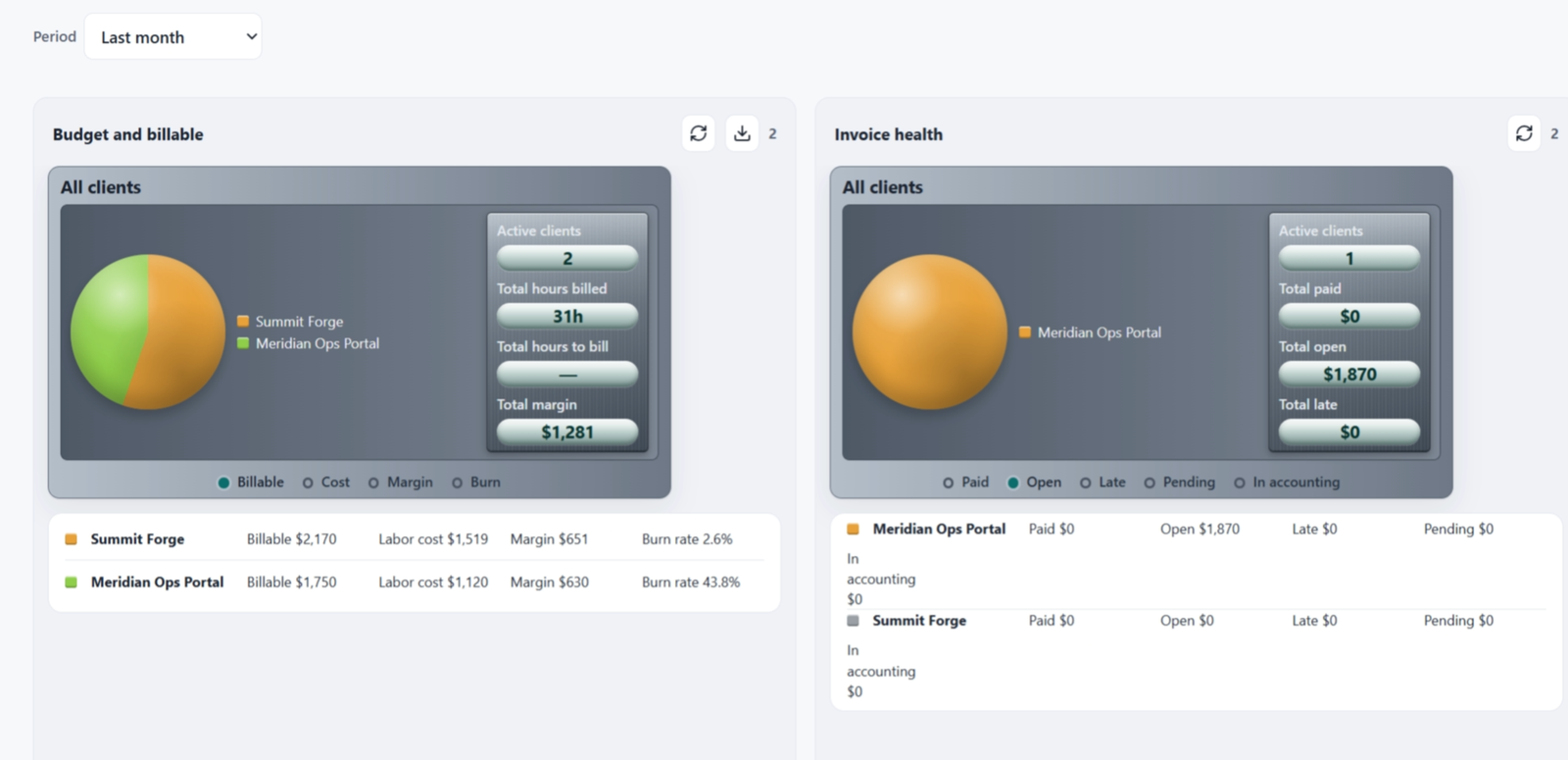
The dashboard prices Jira worklogs for the projects you configured and shows them for the period you pick. If no project is configured, it asks you to open Projects instead of showing an empty chart.
When to use it
Use it after setup, whenever you want the current money picture: hours, bill, cost, and how a budget is burning. It is also the first place to notice hours that have no rate.
How to use it
Open Profit Dashboard.
Choose the period at the top.
Read the project totals. Only projects listed under Projects are included. Other Jira spaces are out of scope.
If you see unpriced hours, a worklog has no cost rate, no bill rate, or both. Person cost is Settings → Rates. Client price is the client's labor category.
Use Refresh in the LedgerLine banner when you want the latest worklogs without reloading the whole Jira page.
Open a client from the dashboard when you need the client record. Budgets for a linked project are on that client.
Hours budgets burn on logged hours. Amount budgets burn on bill or cost, using the company default unless the project overrides it.
Related
If the dashboard says there is nothing to track, go back to Add a client and link projects and Finish each project.