

3. Designate Hourly Company Rates owners
Feature summary
Hourly Company Rates owners maintain what employees cost you. That is the wage, not the price on the client contract. LL Managers set client prices. They do not set wages unless you also give them that job.
When to use it
Use this as step 3. LedgerLine also treats this step as done if a person cost is already stored, but you should still name the owners so a missing wage has someone to ask.
How to use it
Setup permissions
Open Settings, then First time setup or permissions.
On step 3 Designate Hourly Company Rates, or Hourly Company Rates, in the you get this dialog:
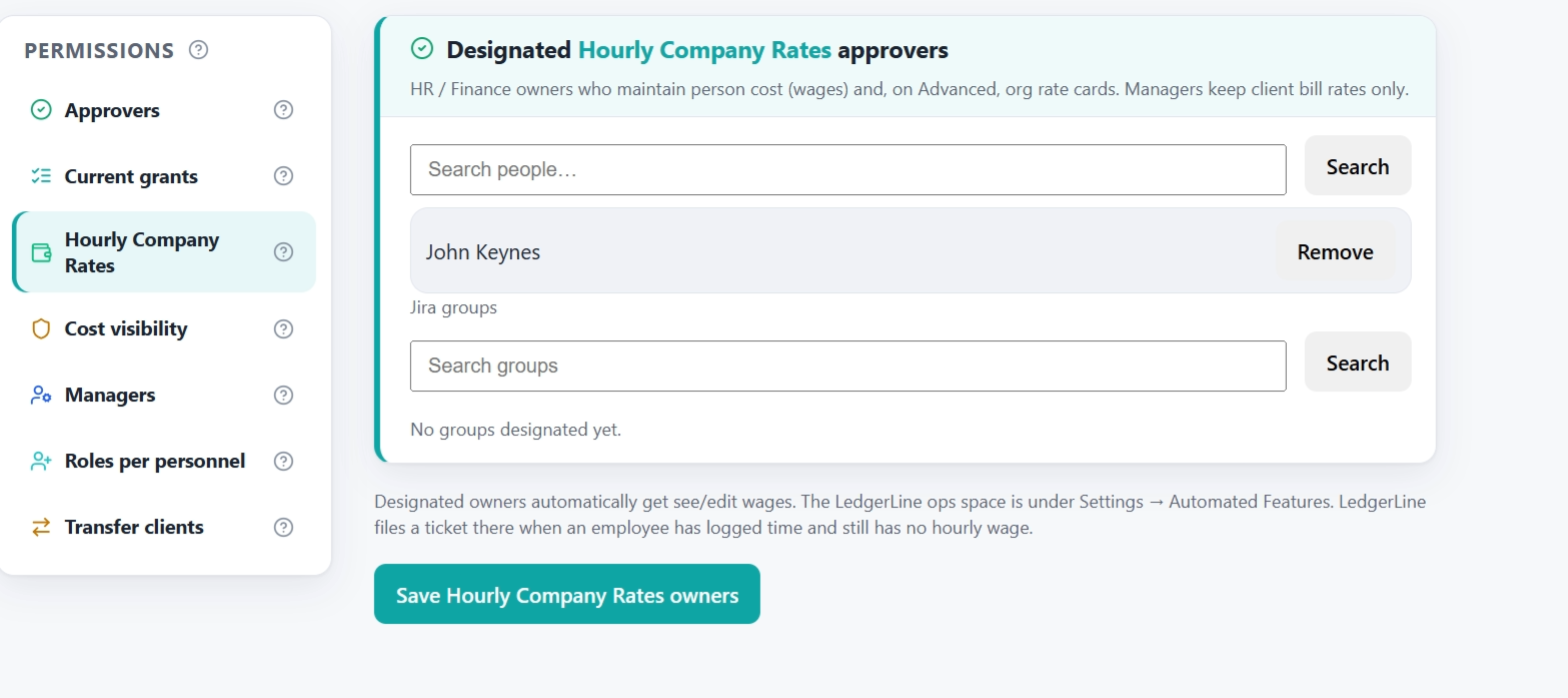
Add the HR or finance people, or the Jira group who maintain wages.
Click Save.
Those owners then open Settings, then Rates, and enter a cost per hour for each person who logs time.
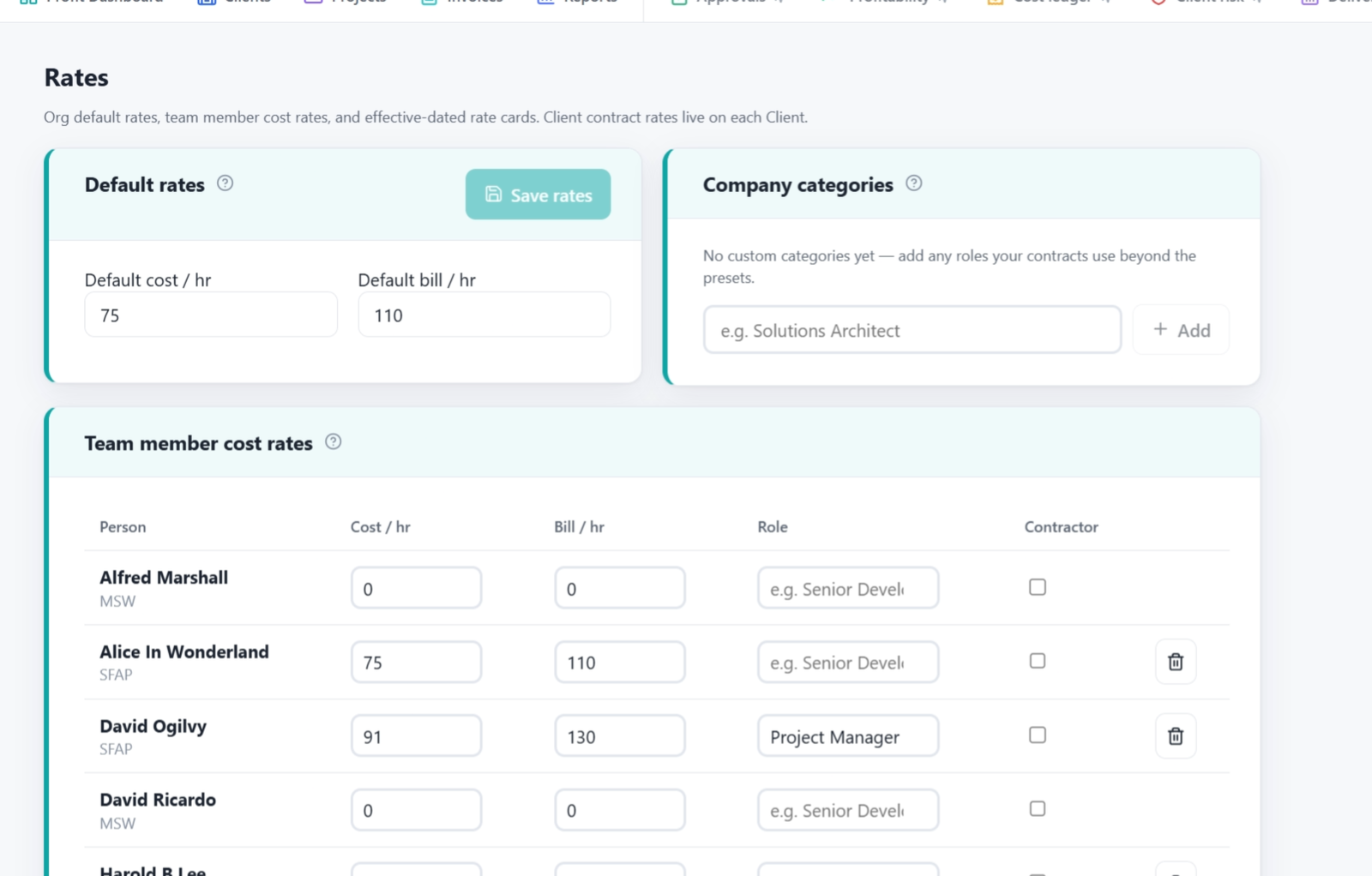
When someone logs time and no wage is on file, LedgerLine can file a ticket in the ops space asking these owners to enter it. That only works after the ops space exists.